Table of Contents
ToggleModern Warfare 2 remains one of the most demanding and rewarding shooters on PS5, and 2026 is the perfect time to immerse if you haven’t already. Whether you’re chasing campaign completionist status or grinding ranked multiplayer, PS5 gives you the hardware to experience the game at its best. The console’s raw power means you’ve got genuine choice: go for stunning 4K visuals or push into high frame rates where reflexes matter most. This guide covers everything you need to know about running Call of Duty Modern Warfare 2 on PS5, from optimal performance settings to competitive loadout builds and troubleshooting those frustrating connection hiccups. We’ll break down what makes the game tick on Sony’s console and how to squeeze every advantage out of your setup.
Key Takeaways
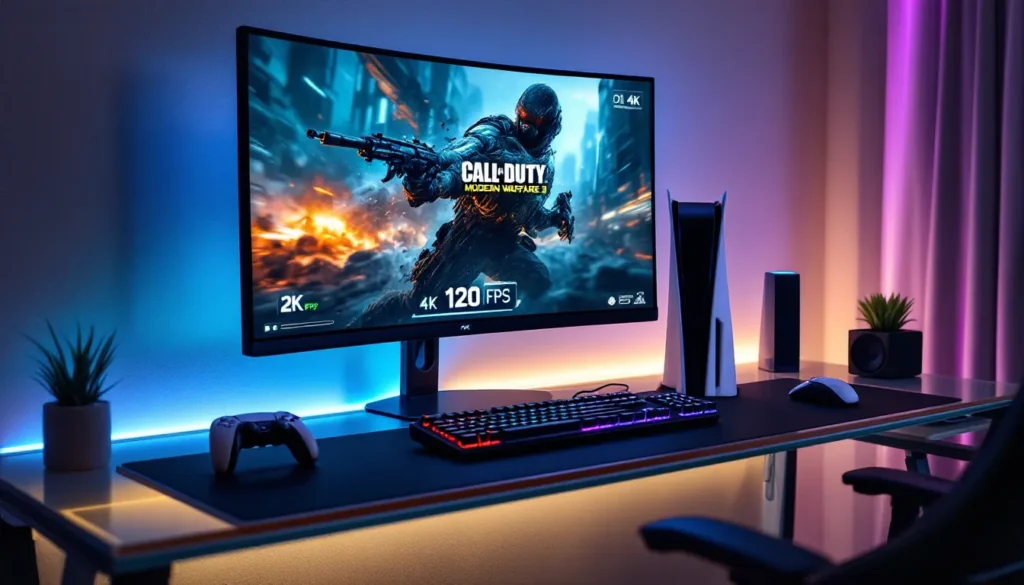
- Call of Duty Modern Warfare 2 on PS5 offers two distinct performance modes—Fidelity Mode at 4K/60 FPS for visual clarity and Performance Mode at 1440p/120 FPS for competitive play—letting you prioritize graphics or responsiveness based on your TV and playstyle.
- The game requires 149 GB of internal SSD storage and a stable internet connection (25+ Mbps minimum), so ensure your PS5 has adequate space and is connected via wired Ethernet for the best multiplayer experience.
- Master multiplayer by focusing on map knowledge, positioning, and meta-aware loadout builds rather than raw aim; this approach compounds skill faster than pure gunplay.
- Warzone 2.0 integration syncs your multiplayer loadouts, progression, and cross-platform parties automatically, creating a seamless progression ecosystem across both games.
- If you encounter lag, crashes, or connection drops, restart your PS5 fully (not rest mode), check your NAT type settings, and verify your PSN account is linked to Activision for reliable troubleshooting.
What You Need To Know About Modern Warfare 2 On PS5
Modern Warfare 2 launched in October 2022 and remains a staple on PS5 in 2026. The game demands respect: it’s built to showcase what current-gen hardware can deliver, and PS5 absolutely handles it. The architecture of the PS5, with its custom SSD, 8-core Zen 2 processor, and RDNA 2 GPU, was practically made for this title’s dense maps and dynamic destruction.
The game spans campaign, multiplayer, and integration with Warzone 2.0, giving you hundreds of hours of content across different modes. PS5’s extra storage and processing power let you experience the full package without the compromises you’d see on older hardware. That said, you’ll need to understand your console’s capabilities and make intentional choices about how you want to play.
System Requirements And Console Specifications
You’ll need a PS5 (standard or Digital) running the latest system software. Modern Warfare 2 requires a minimum of 149 GB of free storage on your PS5’s internal SSD, yes, it’s a beast. The game also benefits heavily from having the PS5’s cooling system in good shape, especially during long multiplayer sessions or campaign marathons.
The PS5’s custom SSD is crucial here. Modern Warfare 2’s map streaming, texture loading, and seamless transitions between areas depend on that fast I/O architecture. If you’re running the game from an external drive, you’ll take a performance hit. Keep it on the internal drive, and you’ll get the intended experience.
An active PlayStation Plus subscription is required for multiplayer and Warzone access on PS5. Campaign mode works offline if you want solo content, but competitive play needs the subscription. Make sure your internet connection is stable (ideally 25+ Mbps) for the best online experience, especially in ranked matches where latency matters.
Performance Modes And Graphics Settings
PS5 gives Modern Warfare 2 players two distinct performance modes, and choosing between them is about understanding your priorities. You’re not locked into one forever, you can switch modes in the settings menu whenever the mood strikes.
4K Resolution vs. High Frame Rate: Which Mode Is Best
The Fidelity Mode locks the game to 4K resolution at 60 FPS. It’s visually stunning: every texture pops, shadows have crisp edges, and the overall presentation screams “current generation.” This is the mode for campaign storytelling and relaxed multiplayer sessions. If you’re not pulling a tournament run next week, Fidelity Mode is genuinely gorgeous.
The Performance Mode drops resolution to dynamic 1440p but pushes you to 120 FPS, and this changes everything for competitive play. At 120 FPS, the game feels buttery smooth. Your aim snaps faster. TTK (time-to-kill) perception shifts. You see enemies fractionally earlier than Fidelity players. For ranked multiplayer and serious Warzone grinding, Performance Mode is the logical choice.
Here’s the real talk: if your TV supports 120 Hz, Performance Mode is worth the visual trade-off. If your display tops out at 60 Hz, Fidelity Mode makes more sense since you’re not actually seeing those extra frames. Check your TV’s specs before deciding.
Many competitive players live in Performance Mode, but Fidelity Mode isn’t a handicap, it’s a different experience. The smoothness at 120 FPS helps with flick shots and tracking, but 4K at 60 FPS gives you visual clarity that can help with spotting enemies at distance.
Ray Tracing And Visual Enhancements
Ray tracing is enabled by default in both modes on PS5. It handles reflections, shadows, and lighting effects with remarkable accuracy. You’ll notice it most in multiplayer on maps with wet surfaces or mirrored glass, reflections look genuinely real instead of faked.
The overhead is minimal on PS5. Modern Warfare 2’s implementation doesn’t tank frame rates because Infinity Ward optimized it specifically for the console. You’re not sacrificing performance significantly by having ray tracing active.
If you’re obsessed with maximum frame consistency, you can disable ray tracing in the graphics settings, but it’s genuinely not necessary. The PS5 handles it fine. Keep it on unless you’re trying to debug stuttering issues (unlikely if your console is running smoothly).
Getting Started: Installation And Setup
Installing Modern Warfare 2 on PS5 is straightforward, but the file size and setup process deserve attention. Getting this right from the start saves headaches later.
Download Size And Storage Requirements
Modern Warfare 2 is approximately 149 GB when fully installed with all content. That’s not a typo, it’s massive. You’ll need at least 160 GB of available space on your PS5’s internal drive to download and install it comfortably. If you’re tight on storage, you might need to delete other games temporarily.
The download breaks into chunks: base game, campaign, multiplayer pack, Warzone integration, and optional data packs. You don’t have to install everything at once. You can play campaign before waiting for the multiplayer packs to finish downloading, which is helpful if you want to start immediately.
High-resolution texture packs and additional cosmetic content push the total higher over time through updates and seasonal content. Plan on this growing slightly every season.
Optimizing Your PS5 For Smooth Gameplay
Before launching Modern Warfare 2, prepare your console:
- Restart your PS5 completely (not rest mode) before your first session. This clears cache and ensures clean performance.
- Install the latest PS5 system update. Sony regularly patches stability and performance improvements.
- Enable Performance Mode in your PS5 settings if you prefer 120 FPS gameplay (Settings > Screen and Video > Performance Mode).
- Clear your PS5’s cache if you’re experiencing stuttering. Hold the power button until it fully shuts down, unplug for 30 seconds, then restart.
- Ensure your network connection is wired if possible. Ethernet beats Wi-Fi for consistency, especially in online multiplayer.
Close unnecessary background applications. PS5’s OS is lightweight, but having streaming apps or web browsers running eats into available resources. Modern Warfare 2 needs breathing room.
If you’re using an external USB drive for storage, keep Modern Warfare 2 on the internal SSD. The game’s I/O demands require that fast proprietary storage architecture.
Campaign Mode: Story, Characters, And Gameplay Tips
Modern Warfare 2’s campaign spans 17 missions across a globe-spanning narrative. It follows Task Force 141, Captain Price, Ghost, Gaz, and Soap MacTavish, as they dismantle a terrorist organization. The story’s solid, the set pieces are memorable, and the gameplay varies enough to keep things fresh.
On PS5, campaign runs at either 4K/60 FPS (Fidelity) or 1440p/120 FPS (Performance). Story mode doesn’t demand 120 FPS the way multiplayer does, so most players stick with Fidelity for the cinematic presentation. The campaign looks phenomenal at 4K.
Essential Campaign Strategies And Hidden Collectibles
The campaign has 19 missable collectibles scattered across missions, mainly intel documents and photos. Here’s what matters:
- Collectibles are missable per playthrough. You can’t grab them all in one run on some missions. You’ll need to replay or load previous checkpoints.
- Intel documents unlock lore details and backstory. They don’t affect gameplay but reward curious players.
- Photo collectibles are well-hidden in environments. Check side rooms and inactive areas before pushing forward.
- Play on at least Hardened difficulty if you want a real challenge. Recruit and Regular are too forgiving, especially for veteran players.
Key campaign tips:
- Learn stealth sections early. Missions like “Ghost Team” reward patience. You can ghost-run (complete without alerting enemies) with deliberate movement and timing.
- Use the environment. Modern Warfare 2’s maps have cover, shadows, and vertical space. Exploit them.
- Weapon switching in the campaign unlocks multiplayer variants. Some weapons behave differently in campaign than multiplayer, so experiment.
- Explosives are overpowered in campaign. If you’re stuck on a mission, C4 and grenades trivialize most encounters.
- Checkpoint saves frequently, so don’t fear failure. Test aggressive approaches without penalty.
One thing about Modern Warfare 2 is that the campaign genuinely matters for story context. It connects to Warzone 2.0’s narrative and explains character motivations in multiplayer. If you skip it, you’ll miss details that enhance the multiplayer experience.
Multiplayer Mastery: Maps, Modes, And Loadout Recommendations
Multiplayer is where Modern Warfare 2 on PS5 truly shines. The game ships with 16 maps at launch, expands through seasonal content, and includes classic 6v6, 10v10, and 16v16 variants. Performance Mode at 120 FPS is strongly recommended here.
The meta in 2026 has settled into distinct playstyles: long-range ARs dominate open areas, SMGs rule close quarters, and tactical positioning beats raw aim. Understanding the map flow and adapting your loadout is more important than raw gunplay.
Best Weapons And Loadout Classes For Each Game Mode
Team Deathmatch / Free-for-All:
- Primary: M4 assault rifle with VLK 4.0x optic, Cronen Tank hybrid, monolithic suppressor, and 60-round mags. Versatile, reliable, beams at medium range.
- Secondary: X12 handgun for quick swaps if you’re caught reloading.
- Perks: Double Time, Battle Hardened, Spotter. Movement and awareness dominate small maps.
Search and Destroy:
- Primary: Lachmann 762 AR or FTAC Recon battle rifle for one-shot potential at headshot. Attackers need raw damage: defenders need positioning.
- Secondary: Brass Knuckles or X12 handgun for quick melee finishes.
- Perks: Ghost, Cold Blooded, Tracker. Survival and information are everything in S&D.
- Tactical: Flash or concussion grenade for site execution.
- Lethal: C4 or claymore for trap defense.
Domination:
- Primary: TAQ-56 assault rifle or LACHMANN 556 for consistent TTK and magazine capacity.
- Secondary: Dual kodachi for mobility and melee pressure when capping flags.
- Perks: Hardline, Assault Package, Quick Fix. Flag pressure and streak management.
- Loadout advantage: You need weapons with forgiving mag sizes since you’ll be engaged by multiple enemies at once.
Warzone/Ground War:
- Primary: FTAC Recon (one-shot potential) or LW3A1 Frostline (dedicated sniper) for long range.
- Secondary: X12 or handgun with High-power rounds for finishing downed enemies.
- Perks: Ghost, Cold Blooded, Tracker or Quick Fix depending on your role.
- Lethal: Claymore or frag for area denial.
Loadout flexibility matters more than rigid builds. Test weapons in multiplayer first, then refine your sensitivity and optic selection before climbing ranked.
According to competitive pro player settings, sensitivity varies wildly, pros range from 4 to 11 depending on their playstyle. Lower sensitivity (5-6) helps with precision: higher (8-10) helps with flick shots. Start middle (6-7) and adjust based on what feels natural.
Popular Maps And Strategic Positioning
Invasion (6v6): Large urban warehouse district. High-value positions are the catwalk overlooking B flag and the elevated office complex. Rushers exploit tight corridors: anchors control sightlines from height.
Taraq (6v6): Desert village with clear sight lanes. The center offers fierce close-quarters combat: flanks reward patient positioning. Power positions: the elevated building overlooking the market, and the underpass tunnel for escape routes.
Sariff Bay (10v10): Port compound with vehicle spawns. Vertical play dominates. Rooftops are contested real estate: ground-level players control objectives. Spawns flip aggressively, so don’t get caught too far from your team.
Breenbergh Hotel (10v10): Indoor high-rise with multiple floors and interconnected rooms. Callouts matter here more than raw gunplay. Teams that control the central stairwell and upper floors control the map. Sound is crucial, you’ll hear enemies before seeing them in tight corridors.
Al Bagra Fortress (16v16): Massive multiplayer arena with vehicles. Snipers thrive on the ramparts: mid-range players own the courtyard. This map demands team coordination. Solo players get picked off quickly.
Map knowledge compounds your skill. Spend time learning spawn locations, power positions, and common rotations. Two matches of passive learning beats five matches of aggressive guessing.
Warzone Integration And Cross-Platform Play
Warzone 2.0 integrates seamlessly with Modern Warfare 2 on PS5. Your multiplayer loadouts transfer directly into Warzone, and progression carries across both games. This integration is a massive quality-of-life feature, you’re not grinding two separate games, you’re grinding one ecosystem.
Cross-platform play is enabled by default. You’ll match against PC, Xbox, and PlayStation players automatically. This is a hard truth: mouse-and-keyboard on PC has a precision advantage at range, especially for sniping. It’s not a dealbreaker on PS5, but it’s noticeable in higher-ranked lobbies.
Connecting Modern Warfare 2 With Warzone
If your Warzone progress isn’t syncing automatically, follow these steps:
- Update both Modern Warfare 2 and Warzone to the latest version. Patches often sync account data.
- Link your Activision Account. Go to Settings > Account in-game, verify your Activision ID is connected to your PSN.
- Restart your PS5 completely (full shutdown, not rest mode). Cache bugs sometimes prevent sync.
- Rebuild your PS5’s database if syncing still fails. Settings > System Software > System Software Options > Rebuild Database. This takes 10-30 minutes but clears persistent bugs.
Loadout sharing between games is automatic. Build a class in multiplayer, switch to Warzone, and it’s available in your create-a-class menu. This saves grinding duplicate weapon attachments.
Cross-platform parties work through the Activision overlay. You can squad up with friends on PC or Xbox directly. Invite them through your Friends list and queue together. Performance differences between platforms matter at high skill levels, but you can absolutely compete cross-platform on PS5.
Tips For Competitive Play And Improving Your Skills
Climbing ranked play on Modern Warfare 2 demands more than good aim. Gamesense, consistency, and mental fortitude matter as much as mechanical skill. PS5’s 120 FPS performance mode is almost mandatory at Elite and above ranks.
The ranked playlist splits into divisions: Rookie through Elite, with seasonal resets. Climbing to Elite requires understanding the meta, optimizing your settings, and putting in consistent hours. Most Elite players log 500+ hours in the current season.
Aiming, Sensitivity Settings, And Controller Tuning
Controller settings are your foundation. Get this wrong, and you’ll handicap yourself before the match starts:
- Sensitivity: Start at 6 (medium). This is the balance point. Test it in Multiplayer for 10 matches. If you’re overshooting targets, lower to 5. If you’re struggling to turn fast enough, raise to 7. Consistency beats perfection.
- ADS Sensitivity: Keep it proportional to your base sensitivity. Most pros run 1.0 multiplier (same sensitivity when aiming). Esports coverage from Dexerto shows pro players rarely deviate from 0.8–1.1 multipliers.
- Aim Assist: PS5’s standard aim assist is competitive-grade. Don’t disable it. Modern Warfare 2 implements aim assist that compensates for controller disadvantage against mouse players. It’s not cheating, it’s leveling the playing field.
- Button Layout: Switch to Tactical layout (ADS on L1, shoot on R1). This is standard for most competitive players. It lets you aim while jumping or climbing without claw-grip contortions.
- Trigger Sensitivity: Minimal. You want instant response, not delayed fire.
- Stick Deadzone: 0.05–0.10. Smaller deadzone = more responsive flicks but riskier drift. Most players run 0.08.
Tuning is personal. What works for a sniper (low sensitivity, high precision) differs from an aggressive SMG rusher (high sensitivity, fast reflexes). Understand your playstyle, then set sensitivity around it.
Advanced Tactics For Ranked Play And Tournaments
Positioning over aim: Bad positioning beats good aim every time. You can outaim someone occasionally. You can’t outaim a team with superior map control and crossfire setup. Ranked rewards patience.
Sound is a weapon: Don’t mute game audio for music or voice chat. Footsteps, reload clicks, and weapon sounds tell you where enemies are. Good headphones (even budget ones) give you directional intel that sight doesn’t.
Economy matters in S&D: Buy rounds are crucial. Invest collectively. A team with 4 full-buy rifles beats a team of 5 eco-pistol rushes. Coordinate purchases in party chat.
Team composition wins tournaments: Your squad needs roles. One entry fragger to breach sites, one anchor to hold positions, one support player with utility, one flex player adapting to situations. Solo skill gets you to high rank: team synergy gets you to tournaments.
VOD review is underrated: Record your ranked matches. Watch them back. You’ll spot positioning mistakes, missed angles, and poor decision-making that felt invisible in-game. This is how pros improve, they grind matches, then they grind replays.
Warm up before ranked. Hop into a multiplayer deathmatch for 3-5 minutes. Get your aim calibrated. Cold fingers lose rounds. This is basic but skipped constantly.
Tournament play on PS5 is growing. Community-run ladder competitions (check Discord communities or esports coverage) offer competitive structure without pro sponsorship requirements. Start there. Climb. Build experience. The skill ceiling is genuinely high.
Troubleshooting Common Issues And Performance Problems
Modern Warfare 2 on PS5 is generally stable, but network issues and occasional bugs happen. Here’s how to handle them systematically.
Lag, Crashes, And Server Connection Solutions
Lag and latency:
- Check your ping in-game. Press the options button mid-match: your connection stats display. Anything under 80 ms is playable. Above 100 ms, you’ll notice delays.
- Restart your router. This sounds basic, but ISP issues resolve more often than server problems. Unplug your router for 30 seconds, then restart.
- Wired connection is non-negotiable for competitive play. Wi-Fi introduces latency variance that ranked play punishes. Ethernet eliminates this.
- Check for background bandwidth hogs. Downloads, streaming services, or second PS5 consoles on your network eat into your bandwidth. Pause these during ranked sessions.
- Server capacity varies by region and time of day. Peak hours (evenings, weekends) see server strain. Off-peak play gets more stable connections.
Disconnects and crashes:
- PSN account issues: If you’re dropping party chat or getting kicked from lobbies repeatedly, sign out of your PSN account completely (Settings > Users and Accounts > Accounts > Sign Out). Sign back in. This refreshes your session.
- Cache corruption: Restart PS5 fully. Settings > System > Power > Restart PS5. Not rest mode, full restart. This clears cache that sometimes causes crashes.
- Application data needs rebuilding: Delete Modern Warfare 2’s local save data (Settings > Storage > Save Data > Delete). Your progress is backed to Activision’s servers: local save loss doesn’t matter. This fixes many crash loops.
- PS5 system update required: Check Settings > System Software. Outdated system versions cause compatibility issues. Update before troubleshooting anything else.
Matchmaking issues:
- Stuck in loading lobbies: Close the application (press the PS button, then X to quit). Relaunch. If it persists, it’s a server issue on Activision’s end: wait 5-10 minutes before retrying.
- Can’t connect to Warzone: Restart the entire PS5 (not rest mode). Warzone servers are separate from multiplayer: connection failures suggest a full system issue.
- NAT type problems: Go to Settings > Network > Test Internet Connection. If your NAT type is Strict or Type 3, your router isn’t port-forwarding correctly. Open ports 3074-3076 (UDP and TCP) in your router settings. Your ISP’s support line can help if you’re unfamiliar.
Performance stuttering:
- FPS drops in 120 FPS mode: Lower settings. Switch to Fidelity mode temporarily to check if it’s a hardware issue or a setting conflict. Reinstall shaders if stuttering persists (happens automatically on relaunch).
- Thermal throttling: Your PS5 might be overheating. Ensure it has 4+ inches of clearance on all sides. Clean the dust filter (Settings > System > Storage > Manage Storage, then delete unnecessary games to free space). A hot PS5 throttles performance hard.
- Storage nearly full: If your PS5’s drive is over 90% full, performance degrades. Delete other games you’re not playing. Modern Warfare 2 alone needs breathing room.
Controller issues:
- Stick drift: Extreme drift mid-match is usually a hardware defect, not a software issue. Disconnect and reconnect your controller. If it persists, the stick module likely needs replacement.
- Dead zone compensation: If stick drift is mild, increase deadzone slightly in settings (0.10–0.15). This reduces input noise from worn sticks.
- Button lag or delayed input: Update your controller’s firmware. Plug it into PS5 via USB and check Settings > Devices > Controllers > Wireless Controller Settings > Update Controller.
Most issues resolve with a full PS5 restart and network check. If you’re still struggling after that, your ISP or hardware needs inspection.
Conclusion
Modern Warfare 2 on PS5 is the definitive way to experience the game in 2026. The console’s power lets you choose between cinematic 4K visuals or competitive 120 FPS gameplay, a luxury most platforms don’t offer. The 149 GB install is massive, but it’s worth the storage commitment.
Your journey starts with understanding performance modes and optimizing your settings. Campaign is a solid 17-hour story worth experiencing solo. Multiplayer demands loadout knowledge, map awareness, and ranked grinding if you want to climb. Warzone integration keeps the progression streamlined. And when connection issues pop up (they will), the fixes above save you hours of frustration.
The meta continues shifting with seasonal updates, but fundamentals endure: positioning beats aim, team synergy beats solo skill, and consistent practice beats raw talent. Whether you’re casual or chasing tournaments, recent Call of Duty coverage and community resources keep you informed as the game evolves.
Start with campaign, nail your control settings, then hit multiplayer. That’s the path to mastery on PS5.