Table of Contents
ToggleCall of Duty: Global Operations has evolved into one of the most ambitious entries in the franchise, blending fast-paced multiplayer action with deep progression systems and multiple gameplay modes. Whether you’re a casual player jumping in for the first time or a competitive grinder chasing rank, understanding the fundamentals and advanced mechanics will separate you from the pack. This guide covers everything from basic loadout building to advanced team coordination, giving you the knowledge needed to dominate across all skill levels.
Key Takeaways
- Call of Duty: Global Operations blends fast-paced multiplayer with deep progression systems across PC, PlayStation, Xbox, and mobile, offering accessibility for casual players and competitive depth for ranked grinders.
- Master fundamentals like weapon selection, map knowledge, positioning, and aim mechanics before chasing meta loadouts—consistency and game sense matter more than following the current meta.
- Team coordination and clear communication are essential for competitive success; define player roles (entry fragger, lurker, supporter, anchor) and use callouts to elevate your ranked play.
- The seasonal model delivers new maps, weapons, and balance changes every 10 weeks, with optional battle passes providing cosmetics and progression without pay-to-win mechanics.
- Ensure stable internet (under 100ms ping), adequate hardware (minimum 16GB RAM and GTX 1660 for PC), and practice aim drills for 30 minutes before competitive matches to build muscle memory.
- Common technical issues like stuttering, lag, and disconnections resolve through driver updates, file verification, and network optimization—check official forums if problems persist.
What Is Call Of Duty: Global Operations?
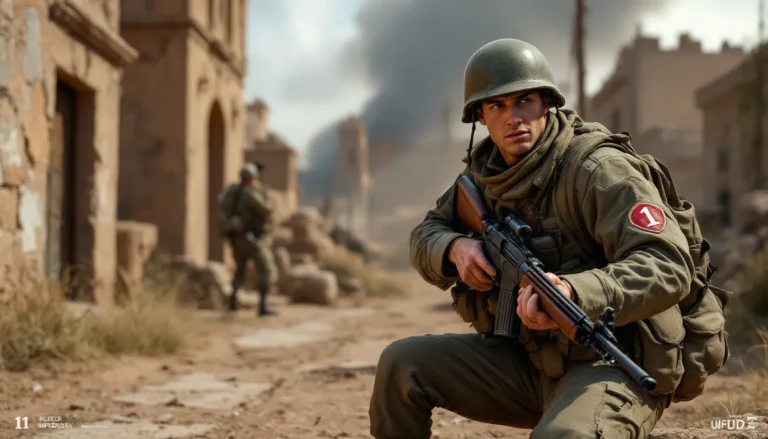
Call of Duty: Global Operations is the latest mainline entry in the franchise, launching across PC, PlayStation 5, Xbox Series X
|
S, and mobile platforms. The game builds on the franchise’s core DNA, precise gunplay, fast time-to-kill (TTK), and high-octane combat, while introducing refreshed mechanics, a modern setting, and expanded content offerings.
At its heart, Global Operations is built for accessibility without sacrificing depth. Casual players can hop into quick 10-minute multiplayer matches, while competitive players have ranked seasons, esports tournaments, and progression systems that reward mastery. The game doesn’t reinvent the wheel, but it refines what makes Call of Duty tick: responsive controls, well-designed maps, and balanced weapon classes that encourage diverse loadouts.
The title “Global Operations” reflects the game’s scope. You’re not fighting in a single theater: you’re deployed across diverse environments, urban centers, industrial zones, exotic locations, each with distinct tactical opportunities. The narrative ties together these operations through a campaign, though the multiplayer and cooperative modes are where most players spend their time.
Game Modes and Gameplay Overview
Multiplayer Modes
Multiplayer is the heart of Global Operations. The core modes include:
Team Deathmatch (TDM): Classic 6v6 action where the first team to 75 eliminations wins. No objectives, pure gunplay. It’s where you refine aim and learn map flow.
Search and Destroy (S&D): 4v4 tactical mode with a bomb objective. One life per round, no respawns until the next round begins. This is the competitive esports staple, positioning and communication are everything.
Domination: 6v6 objective mode where teams capture and hold three flags. Flag control generates points per second: first to 200 wins. Encourages teamwork and map control.
Kill Confirmed: Teams earn points by collecting dog tags dropped by eliminated players. Forces engagements and denies enemy streaks, chaotic and fast-paced.
Hardpoint: Teams fight for control of a moving hot zone that shifts position every few minutes. First to 250 points wins. Demands constant repositioning and team presence.
All multiplayer modes support cross-platform play on PC (Steam and Battle.net), PlayStation, Xbox, and select mobile devices. Matchmaking is skill-based, so you’ll face opponents within your rank range.
Campaign Structure
The campaign follows a fictional yet grounded narrative across 10 missions. Each mission is replayable on higher difficulties (Veteran and Nightmare modes) for unlockables and achievements. The campaign introduces core mechanics and serves as a soft tutorial, but veterans often skip straight to multiplayer.
The campaign isn’t required to enjoy the game, but it’s well-crafted, around 5-7 hours for a standard playthrough. Completing campaign missions on Veteran difficulty unlocks weapon skins and cosmetics tied to the story’s aesthetic.
Cooperative And Battle Royale Features
Cooperative Zombies mode pits up to four players against waves of undead across dedicated maps. You’ll manage ammo, activate power-ups, and progress through rounds. It’s a great alternative to multiplayer when you want PvE content. The mode ties directly into the seasonal pass and rewards cosmetics earned through multiplayer.
Battle Royale (Warzone integration) drops you and 149 other players onto a massive map. The play area shrinks over time, forcing engagements. Looting, survival, and positioning matter as much as gunplay. Teams can range from solo to quads. Warzone shares cosmetics and battle pass progression with Global Operations multiplayer, making it a unified progression ecosystem.
Essential Tips For Beginners
Weapon Selection And Loadout Building
Weapon choice defines your playstyle. Global Operations features five weapon categories:
Assault Rifles (ARs): Balanced all-purpose weapons. The M4A1 is forgiving for new players, reliable damage, minimal recoil, good at medium range. The AK-74 hits harder but kicks more: save it for when you’re comfortable controlling recoil.
SMGs (Submachine Guns): Dominate close quarters. The MP5 is the meta pick for tight corridors. Pair it with a pistol secondary for range flexibility.
Sniper Rifles: One-shot kills but require precision. Not recommended for beginners unless you’re specifically practicing aim.
Shotguns: Point-blank destroyers. Use them in CQB maps like Rust or Buildings. They struggle at range.
Marksman Rifles: Middle ground between ARs and snipers. One-shot kills to the upper body, two-shot lower body. Great for learning shot placement.
Build your loadout with these components:
- Primary weapon (AR or SMG early on)
- Secondary (pistol or launcher)
- Tactical equipment (flash bang, stun grenade)
- Lethal equipment (frag grenade, claymore)
- Perk packages (EOD for explosive resistance, Tracker to see footprints)
Don’t chase the “meta” as a beginner. Use what feels comfortable. You’ll naturally gravitate toward strong weapons as your game sense develops. The meta loadouts shift with patches, but fundamentals, positioning and aim, never change.
Map Knowledge And Positioning
Maps in Global Operations are designed with sight lines, cover clusters, and chokepoints in mind. Learning these three things per map transforms your gameplay:
- Spawn locations: Know where you and enemies spawn. This predicts early engagements.
- Power positions: Areas with cover that overlook multiple lanes (rooftops, windows, corners). Control these and you control the map.
- Rotations: Safe paths between objectives that minimize exposure.
Pick one map and play it 10+ times. Walk its perimeter, check every corner, learn sightlines from different angles. Then move to the next map. Speed comes with repetition, not intuition.
Movement And Aim Mechanics
Movement in Global Operations emphasizes speed without unnecessary wallrunning or complex mechanics. Key techniques:
Slide canceling: Sprint, press crouch mid-sprint, then jump. This maintains momentum while making you a harder target. Practice it on empty servers first.
Strafe shooting: Sidestep while aiming down sights (ADS). Don’t stand still during gunfights. Movement accuracy penalties are minimal in Global Operations, moving while shooting is viable and often superior to static shooting.
Crosshair placement: Keep your crosshair at head level as you move through maps. When enemies appear, they’ll be in your sights already. Pre-aim common positions.
Sensitivity settings: Higher sensitivity (8-12) lets you turn faster but requires hand steadiness. Lower sensitivity (4-6) is easier to control for beginners. Find your sweet spot through matches, not settings menus.
Spend 30 minutes in aim trainers (Aim Lab is free on Steam) before playing competitively. Muscle memory built in isolated drills translates directly to fights.
Advanced Strategies For Competitive Play
Class Optimization And Meta Loadouts
Once you’ve mastered fundamentals, meta loadouts become relevant. The competitive meta shifts with patches, but as of March 2026, here’s what dominates ranked play:
AR + Sniper setup (6v6 Domination):
- Primary: M13B (low recoil, quick TTK)
- Secondary: Sniper for one-taps in power positions
- Perk 1: Double Time (faster tactical sprint)
- Perk 2: Ghost (undetectable by UAVs)
- Perk 3: Clutch (reduced lethal cooldown)
SMG rush (S&D and Hardpoint):
- Primary: MP5 with Monolithic Suppressor (silent and deadly at close range)
- Secondary: Semtex grenade
- Perk 1: Ninja (silent footsteps)
- Perk 2: Fast Hands (faster equipment use)
- Perk 3: Amped (increased explosive damage)
Marksman hybrid (medium-range engagements):
- Primary: SPR 208 (one-shot kill potential)
- Secondary: X16 pistol (reliable backup)
- Optic: Sniper scope for range
- Attachments: Lighter recoil, faster ADS
Check recent patch notes for weapon balance changes. What’s meta today might be nerfed tomorrow.
Customize attachments based on playstyle. Playing aggressive close-quarters? Reduce ADS time. Playing passive sniper support? Increase accuracy and range. Test 2-3 loadouts, master them, then rotate based on map selection.
Team Coordination And Communication
Competitive play separates individual skill from team synergy. Three pillars of coordination:
Communication: Use voice chat constantly. Call out enemy positions (“two A building, one long”), confirm obj pushes (“plant B in 10”), and warn teammates of threats (“watch your six, sniper window”). Clear, concise callouts beat long explanations.
Role assignment: Designate roles even in casual premades.
- Entry fragger: Pushes first, gathers intel
- Lurker: Holds flank, plays information game
- Supporter: trades kills, trades lives for team
- Anchor: holds key position, last line of defense
Roles shift per round and map, but defined roles prevent random play and duplicated effort.
Economy management (S&D): In Search and Destroy, teams manage a “bank” of points. First round is pistol round. If you win, buy rifles next round. If you lose, eco (buy minimal) to save for a rifle buy two rounds later. Mismanaging economy loses rounds even if you’re individually skilled.
Watch esports matches on Dot Esports to see pro-level coordination. You’ll spot utility timings, trade kills, and positioning discipline that translate to ranked play.
Ranked Play And Progression
Ranked Play in Global Operations uses a skill-based rating (SBR) system. You gain/lose points per match based on performance relative to your rank:
- Bronze to Gold: Loose skill brackets. Grinding here requires consistency but not perfection.
- Platinum to Diamond: Tighter brackets. Teammates matter: skill variance is lower.
- Elite and Masters: Top 1% of players. Every decision magnifies impact. Requires flawless fundamentals and meta knowledge.
Ranked season lasts roughly 10 weeks. End-of-season rewards (cosmetics, tokens, currency) incentivize pushing higher ranks.
Progression tips:
- Play 50+ matches in one mode to stabilize your rating
- Queue with consistent teammates (reduces variance)
- Review replays of losses: identify decision breakpoints
- Play when mentally fresh (fatigue kills decision-making)
- Mute all-chat to avoid tilt
Average players peak at Gold-Platinum. Diamond and above require additional time investment or existing FPS experience. Play for improvement, not rank inflation.
System Requirements And Platform Compatibility
PC, Console, And Mobile Performance
PC Requirements (Minimum for 1080p, 60 FPS):
- GPU: GTX 1660 or RTX 3060 equivalent
- CPU: Intel i7-8700K or AMD Ryzen 5 3600
- RAM: 16GB
- Storage: 175GB (SSD strongly recommended)
- Internet: 10 Mbps minimum
Recommended (1440p, 120+ FPS):
- GPU: RTX 3070 Ti or RTX 4070 Super
- CPU: Intel i9-12900K or AMD Ryzen 9 5950X
- RAM: 32GB
- SSD: NVMe for faster loading
- Internet: Fiber preferred for ranked play
PC offers the highest frame rates and settings customization, making it the competitive standard.
PlayStation 5 and Xbox Series X:
Both run at 120 FPS (1440p dynamic res) in multiplayer. Loading times are near-instant thanks to SSD optimization. Cross-platform play is enabled by default. No performance difference between PS5 and Xbox: choose based on controller preference and friends list.
Xbox Series S:
Runs at 60 FPS (1080p) with visual trade-offs. Perfectly playable but lacks the 120 FPS smoothness of Series X. Storage is tighter (1TB): expect to manage game libraries carefully given Global Operations’ 175GB footprint.
Mobile (iOS via App Store, Android via Google Play):
Mobile version launches in Q3 2026, roughly six months after console/PC release. Performance targets 60 FPS on flagship devices (iPhone 15 Pro, Samsung Galaxy S24). Lower-end phones may experience frame drops. Cross-progression is enabled, meaning your cosmetics and battle pass progress sync across platforms.
Internet requirements:
Ranked play demands stable, low-latency connection (under 60ms ping is ideal, under 100ms is acceptable). Wi-Fi works if you’re close to your router: wired Ethernet is preferred for competitive matches. Packet loss over 2% causes noticeable lag and hitreg issues.
Consoles and PC offer similar online stability. Mobile is more prone to network inconsistency due to Wi-Fi reliance. If you’re serious about ranked, PC or console is the way to go.
Platform choice eventually depends on your hardware and preference. All platforms receive updates simultaneously and share cosmetics, so your “best” platform is whichever feels most comfortable.
Updates, Seasonal Content, And Battle Pass
Global Operations operates on a seasonal model. A new season launches every 10 weeks, bringing balance changes, new weapons, maps, cosmetics, and battle pass progression.
Balance Updates (hotfixes): Released mid-season when weapons are clearly over- or under-powered. A sniper nerf might reduce one-shot damage by 5%. An SMG buff might decrease recoil by 10%. Check patch notes on the official website: balance shifts demand loadout adjustments.
Seasonal Content drops include:
- 3-4 new multiplayer maps
- 1-2 new weapons (usually one AR, one SMG or secondary)
- 100-tier battle pass with cosmetics, weapon blueprints, operator skins
- New Zombies map or seasonal event
- Ranked season reset with updated matchmaking brackets
Battle Pass ($9.99 USD, optional): Free track gives seasonal cosmetics. Premium track unlocks 100 tiers of cosmetics, blueprints, and battle tokens (premium currency). Tier 100 rewards a exclusive operator skin. Most seasons complete the pass in 40-50 hours of play. Buying tier skips (often discounted end-of-season) is an alternative if you don’t have time to grind.
Cosmetics and Operator Skins: These are purely cosmetic. No pay-to-win mechanics. A $20 operator skin performs identically to the default operative. Cosmetics unlock through:
- Battle pass tiers
- Store (rotating cosmetics weekly)
- Campaign completion
- Zombie mode waves
Weapon Unlocks: New seasonal weapons are unlocked through seasonal challenges (free tier that requires gameplay) or battle pass completion. You don’t need to purchase anything to use new guns.
The seasonal model ensures fresh content every 10 weeks and keeps the meta evolving. Casual players enjoy cosmetic collecting. Competitive players focus on balance changes. Either way, there’s always something new to experience.
You can check the Call Of Duty Archives for detailed seasonal breakdowns and history of past updates.
Common Issues And Troubleshooting
Stuttering and frame drops:
Causes: GPU at 100% usage, CPU bottleneck, or background programs consuming resources. Solutions: Lower settings (texture quality, shadow distance, draw distance), close Discord/Chrome tabs, verify GPU drivers are updated. If on console, ensure sufficient internal storage (SSD fills, causing I/O bottlenecks).
High ping / lag:
Causes: Wi-Fi interference, ISP packet loss, or distant server region. Solutions: Use wired Ethernet, restart router, check ISP speed on Speedtest.net, select nearest server region in settings (change from Auto). If ping is consistently 100ms+, contact ISP or consider server choice in your region.
Audio cutting out mid-match:
Causes: Audio driver conflicts or game engine bugs (rare). Solutions: Update sound drivers from motherboard/device manufacturer website, restart game, verify game files through Steam (right-click > Properties > Local Files > Verify).
Frequent disconnections:
Causes: Unstable internet, firewall blocking ports, or server-side issues. Solutions: Disable VPN (if using one), check firewall exceptions for Call of Duty ports, verify game files. If issue persists, it’s likely a server-side problem: check the official forums for outage status.
Can’t unlock weapons or cosmetics:
Causes: Challenges might have strict requirements (e.g., “10 sniper kills in one match”). Solutions: Re-read challenge description carefully, ensure you’re tracking correct mode (multiplayer vs. Zombies), wait for next daily challenge refresh if daily limit reached.
Controller not responding (console):
Causes: Low battery, connection drop, or binding conflict. Solutions: Charge controller, reconnect via Bluetooth settings, restart console, reassign controls in settings if game recognizes wrong input.
Game won’t launch (PC):
Causes: DirectX version outdated, anti-cheat software issues, or incompatible mods. Solutions: Update Windows, disable overlays (Discord, GeForce Experience), whitelist game in antivirus, verify game files, reinstall if necessary.
Most issues resolve with restarts, driver updates, or file verification. If problems persist, post on the official forums with your system specs and issue description: support responds within 24 hours typically.
You can also reference the Gulag Call of Duty guide for competitive-specific troubleshooting, and check the Call of Duty Cover page for general franchise resources.
For additional hardcore PvE insights, the Nazi Zombies Call of Duty guide covers Zombies-specific issues like revive mechanics and Easter eggs.
GamePass subscribers should review When Will Call of Duty Be on Game Pass for subscription details, as availability affects how new players access the title.
Conclusion
Mastering Call of Duty: Global Operations is a journey, not a destination. Start with weapon fundamentals and map learning. Climb to competitive ranked play by refining positioning and team communication. Stay engaged with seasonal updates and meta shifts. The game rewards dedication with progression, cosmetics, and most importantly, skill expression.
Whether you’re playing casually once a week or grinding esports tournaments, the core loop remains unchanged: read the map, control the gun, outthink your opponent. Global Operations gives you the tools. Practice and patience do the rest.