Table of Contents
ToggleWhether you’re grinding ranked multiplayer, chasing completionist achievements, or setting up a streaming setup, your gaming rig deserves respect. That includes your controllers. A good Call of Duty controller holder isn’t just about aesthetics, it’s a functional piece of gear that protects your investment, keeps your desk clutter-free, and makes your setup feel professional. In 2026, the market for gaming accessories has exploded, and controller holders have evolved way beyond basic plastic stands. You’ve got wall-mounted solutions, charging dock integrations, RGB-lit displays, and multi-controller racks designed for serious enthusiasts. This guide walks you through everything you need to know about finding, setting up, and maintaining the perfect controller holder for your Call of Duty setup.
Key Takeaways
- A Call of Duty controller holder protects your investment from physical damage, dust buildup, and wear while keeping your desk organized and professional.
- Wall-mounted, desktop, charging dock, and multi-controller rack options suit different gaming setups, from casual players to competitive esports competitors.
- Quality material construction with soft padding or silicone grips ensures your controller remains undamaged during years of storage and daily use.
- Competitive gamers benefit from quick-access controller holders positioned within arm’s reach, enabling instant swaps between pre-configured sensitivities during tournaments.
- Proper placement near your gaming area, regular cleaning, and strategic integration with your overall setup transforms a controller holder from functional accessory into a centerpiece that elevates your entire gaming station.
What Is A Controller Holder?
A controller holder is exactly what it sounds like: a stand, dock, or mounting solution designed to safely store and display your gaming controllers when you’re not using them. It’s not some luxury item, it’s a practical organizational tool that’s become essential in most gaming setups.
These holders come in various forms. Some are simple wall-mounted brackets that hug your controller securely. Others are desktop stands with dedicated slots for multiple controllers. Some even double as charging docks, so your controller is powered up and ready to go the moment you grab it.
The core purpose is preservation. Controllers cost money, whether you’re rocking a standard Xbox controller, a PlayStation 5 DualSense, or a specialized gaming peripheral. Leaving them loose on a desk means they’re vulnerable to accidental kicks, spills, damage from dust buildup, and wear from sitting in awkward positions. A dedicated holder keeps your gear safe while making it easily accessible during gaming sessions.
Why Controller Holders Matter For Serious Gamers
Protection And Durability Benefits
Your controller takes a beating. Whether you’re clutching a 1v1 in Warzone or grinding multiplayer matches, controllers endure repeated button presses, stick movements, and the occasional angry grip. Thumb stick drift is real, it costs console manufacturers billions in warranty replacements annually.
A controller holder minimizes unnecessary stress when your gear isn’t in active use. By keeping controllers mounted vertically or horizontally in a secure position, you eliminate the risks of them rolling off tables, getting crushed under other equipment, or sitting in positions that strain the internal mechanisms. This extends controller lifespan significantly.
Quality holders use soft padding or silicone grips that won’t damage your controller’s exterior. Unlike shoving controllers into drawers or leaving them loose on surfaces, a proper holder maintains your gear’s condition for years.
Space Optimization And Desk Management
Desks are real estate. Especially for competitive gamers or streamers with multiple monitors, keyboards, mice, headsets, and other peripherals, space gets tight fast. Vertical wall-mounted holders are absolute space-savers, they take advantage of wall space you weren’t using anyway.
Desktop racks organize multiple controllers in a compact footprint. Instead of having five controllers scattered across your desk or stored messily in a drawer, a single multi-controller rack gives everything a home. Your workspace stays cleaner, more professional, and easier to navigate during intense gaming sessions.
This organization also means you know exactly where your controllers are. No more panicking mid-stream because you can’t find your backup controller. No more fumbling around while your squad waits in the lobby.
Enhanced Gaming Accessibility
When your controller is stored properly and within arm’s reach, you’re one quick grab away from jumping into action. During competitive matches or streaming sessions, this matters more than you’d think. Proximity cuts the friction between “I want to play” and “I’m playing.”
For esports players and competitive gamers testing multiple controller sensitivities or switch configurations, having controllers organized and accessible lets you swap quickly without losing focus. It’s a small thing that compounds into better preparation and smoother transitions between gaming sessions.
Types Of Call Of Duty Controller Holders
Wall-Mounted Holders
Wall-mounted controller holders are the sleek, minimalist option. They bolt directly to your wall, keeping controllers off your desk entirely. This is perfect for streamers or anyone running a clean, organized setup.
These typically use adhesive backing or screw mounting. Adhesive versions are non-permanent, making them ideal for renters or anyone who doesn’t want holes in their walls. Screw-mounted holders are more secure and better if you’re mounting multiple heavy controllers.
Single-slot versions hold one controller and take up minimal wall space. Multi-slot versions can hold three to five controllers, perfect for competitive players who maintain backups with different sensitivity configurations.
Desktop And Tabletop Stands
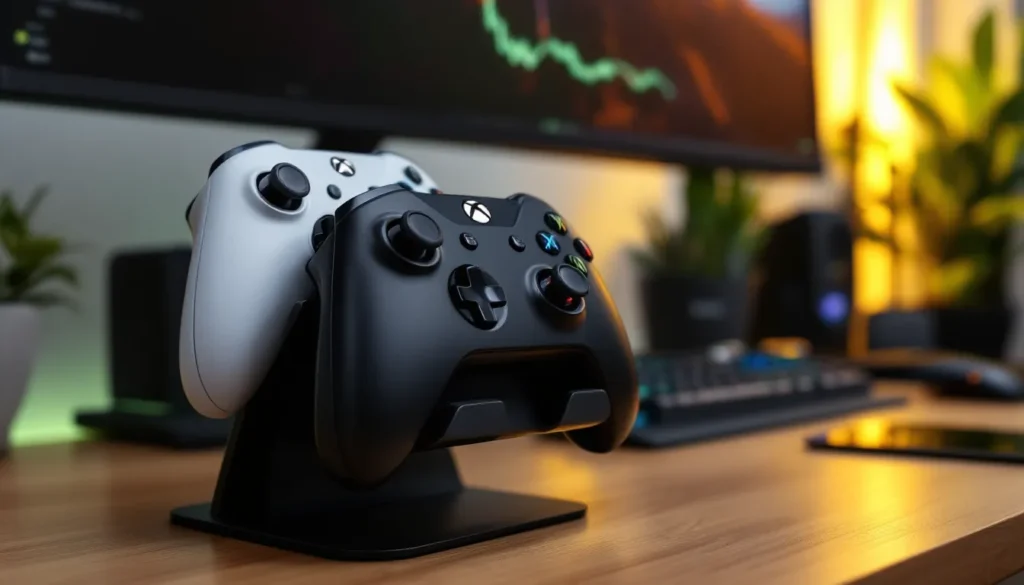
Desktop stands are freestanding solutions that sit on your desk, monitor shelf, or gaming furniture. They don’t require mounting and are incredibly flexible, you can move them anytime.
These range from minimalist single-controller holders that barely take up space to elaborate multi-tiered racks. Some designs incorporate cable management for charging cables, keeping your desk wire-free. Many models use adjustable slots, so they work with different controller types without requiring separate stands.
Desktop stands are especially popular for console gamers since they’re easier to relocate than wall mounts if you rearrange your setup or move your console.
Charging Dock Holders
Charging dock holders combine storage with functionality, your controller is displayed and charging simultaneously. As controllers have gotten more advanced (especially the PS5 DualSense with its built-in battery), these holders have become increasingly popular.
They typically feature a dock with USB-C or proprietary charging connectors integrated into the base. Your controller sits in a designated slot, and power flows automatically. By the time you’re ready to game, your controller is at 100% battery.
Some premium models include individual LED indicators showing each controller’s charge status, quick-glance information for players managing multiple backup controllers.
Multi-Controller Racks
For serious gamers, esports competitors, or streamers, multi-controller racks are game-changers. These display three to eight controllers in a compact, organized system.
Many racks feature modular designs, letting you add or remove slots based on your needs. Some incorporate RGB lighting that syncs with your gaming setup’s overall aesthetic. Premium models include charging integration, so all your controllers charge while stored.
Multi-controller racks range from understated desk models to elaborate wall-mounted displays that look like custom furniture pieces.
Key Features To Look For In A Quality Controller Holder
Material Quality And Durability
The material makes all the difference. Cheap plastic feels flimsy and can crack under modest pressure. Quality holders use high-grade ABS plastic, aluminum, or steel.
Aluminum offers excellent durability while staying lightweight. Steel provides maximum strength if you’re mounting heavier controllers or building a multi-unit display. The interior should use soft padding, silicone, foam, or rubber, that grips your controller without scratching or damaging it.
Check reviews for longevity. Does the material handle years of daily use? Does it yellow or degrade over time? Quality matters here because you’re not replacing this thing every six months.
Compatibility With Your Controller Type
Not all controllers are the same size. **Xbox Series X
|
S controllers** have different dimensions than PlayStation 5 DualSense controllers. Some holders are universal, fitting any modern controller. Others are designed specifically for one platform.
If you’re a multi-platform gamer with controllers for PS5, Xbox, and Nintendo Switch, you need a holder that accommodates all three. Universal holders use adjustable grips or wider slots. Single-platform holders are often cheaper but limit flexibility.
Before purchasing, verify the holder’s compatibility list. Don’t assume, check the manufacturer’s specifications.
Design And Aesthetics
Your controller holder sits front and center in your setup. If it looks cheap or clashes with your aesthetic, it’ll bother you every time you look at it.
Modern holders come in various finishes: matte black, white, RGB-lit, wood accents, even custom finishes. Some embrace minimalist design: others go for bold, gaming-focused aesthetics. The best choice depends on your desk’s vibe.
If you’re running a professional streaming setup, a sleek, understated holder works better. If your gaming space embraces RGB lighting and gaming memorabilia, something with RGB integration fits naturally.
Ease Of Installation And Use
Wall-mounted holders should be straightforward to install, either adhesive mounting that takes seconds or screw mounting with a drill. The manufacturer should include all necessary hardware and clear instructions.
Desktop stands need no installation, unbox and place. Make sure the base is stable and won’t tip over during regular use.
The practical use matters too. Inserting and removing your controller should be smooth, not require awkward angles or excessive force. If securing a controller feels complicated, it’s a poorly designed holder.
Best Practices For Setting Up Your Controller Holder
Choosing The Right Location
Placement determines functionality. Wall-mounted holders should be positioned near your gaming setup, ideally within arm’s reach. Mounting them too high or in awkward positions defeats the purpose. Most gamers position them at desk height or slightly above, directly in their line of sight.
For wall mounting, avoid spots near windows (direct sunlight degrades materials) or near moisture sources like A/C vents or humidity-prone areas. Avoid high-traffic paths where you might accidentally bump the holder.
Desktop stands should sit on stable surfaces away from cables that could trip you up or create tangled messes. If using a charging dock holder, position it near your gaming area but with easy access to power.
Maintaining Your Controller And Holder
Keep the holder clean. Dust accumulates on any surface, especially if it’s near your gaming PC or console. Wipe it down monthly with a soft, dry cloth. For stubborn dust, use a slightly damp cloth, but ensure it dries completely.
Inspect your controllers regularly for debris or buildup, especially around buttons and stick sensors. While stored in the holder, they’re protected from most damage, but dust can still settle. A quick wipe of your controller when placing it in the holder keeps everything fresh.
If your holder uses charging docks, periodically check the charging contacts for corrosion. A tiny bit of corrosion reduces charging efficiency. Clean contacts with a dry cloth or, if needed, a tiny dab of isopropyl alcohol on a cloth, never spray liquid directly on electronics.
Maximizing Your Gaming Setup
A good controller holder becomes a centerpiece of your gaming station. Use it strategically to define your space. Professional gaming setups often showcase their controller racks prominently, making them part of the aesthetic.
If streaming, ensure your controller holder appears in frame to reinforce your professional, organized setup. Viewers notice these details. A clean, well-organized controller display adds credibility and polish to your stream.
Consider integrating your holder with your broader cable management system. If using a desktop stand, route charging cables through cable clips to keep your desk clean. This makes your entire setup look intentional, not haphazard.
Controller Holders For Competitive Gaming
Esports-Grade Solutions
Competitive Call of Duty players often maintain multiple controllers with different sensitivity configurations. One controller might be set for 3 sensitivity for precise aim, another at 6 sensitivity for aggressive gameplay. Swapping between them mid-tournament requires quick access.
Esports teams and pro players use modular multi-controller racks that let them grab the right controller instantly. These racks typically feature quick-access slots and clear labeling systems. Some pros use racks with controllers color-coded or labeled with their specific sensitivity settings.
According to pro player settings guides, having immediate access to pre-configured controllers eliminates the friction of adjusting sensitivity mid-competition. In tournaments where matches are back-to-back, this efficiency matters.
Improving Your Controller Access During Gameplay
For competitive Warzone players or ranked multiplayer grinders, controller accessibility impacts performance. If your backup controller is tucked away in a drawer, a sudden stick drift or button issue mid-match becomes catastrophic, you’re forced to restart or quit rather than swap quickly.
Positioning your controller holder within immediate reach of your gaming area means you can grab a backup controller in seconds. Even a five-second delay in a 1v1 situation costs you the round.
Many competitive setups dedicate shelf space directly next to their monitor or gaming chair to a single-controller holder or quick-access stand. The controller sits fully charged and ready, within arm’s reach from your gaming seat.
Some esports facilities use wall-mounted racks behind player stations, visible on camera, displaying backup controllers and making the setup look professional while maintaining easy access during matches.
Conclusion
A Call of Duty controller holder is more than decorative, it’s a functional investment that protects your gear, organizes your space, and improves your gaming accessibility. Whether you’re a casual player, a competitive grinder, or a streamer building your setup, the right holder elevates your entire gaming station.
Choose based on your specific needs. Wall-mounted holders work best for space-constrained setups or streamers aiming for a clean aesthetic. Desktop stands offer flexibility and ease of repositioning. Charging dock holders integrate power management seamlessly. Multi-controller racks serve competitive players managing multiple pre-configured controllers.
Focus on material quality, controller compatibility, and practical installation. Your holder will sit center stage in your gaming space for years, invest in something that matches your setup’s standards and your gaming needs. With the right holder in place, you’ll keep your controllers protected, your desk organized, and your gaming setup looking professional. That’s the kind of attention to detail that separates casual setups from genuinely optimized gaming stations.